- Client
- Prefabricated inspection pit manufacturer, United Kingdom (name withheld under NDA)
- Industry
- Sheet Metal & Steel Fabrication
- Service
- 3D Modelling & 2D Drafting
- Platform
- AutoCAD
- Client region
- United Kingdom
- Sheet
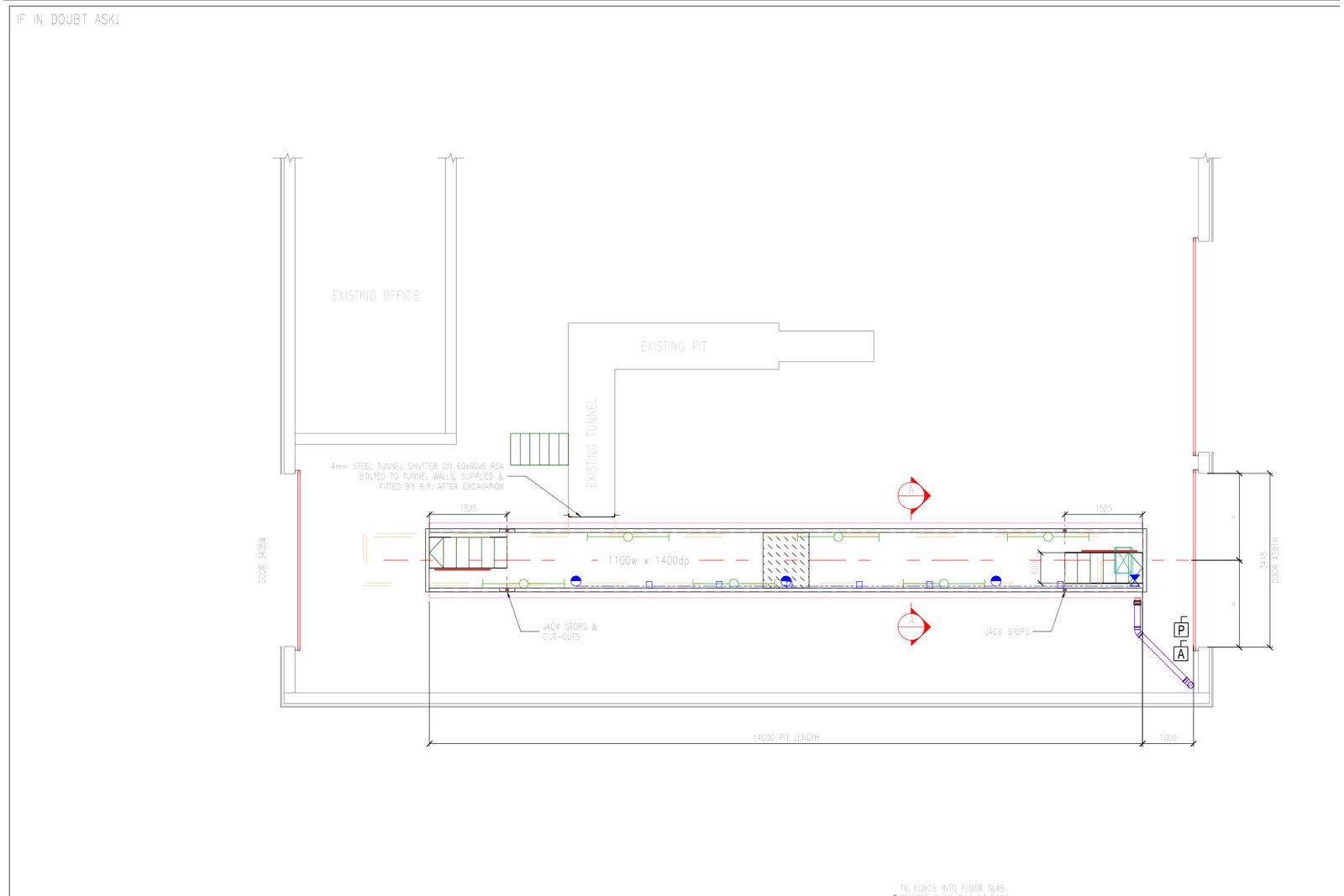
- A1 "PIT INSTALL" set-out drawing
- Inputs
- Site survey PDF, photographs, pit datasheets
- Process
- Query sheet → draft → client check → DWG/PDF dispatch
The challenge
Installers need set-out dimensions only — pit centrelines, offsets from walls and columns, door openings, airline and duct positions — on a sheet they can read in a depot. The client has firm drawing rules: set-out dimensions only, no hatching, existing pits to be demolished shown dashed, their legend and label style, and the airline drawn on the duct side.
Our approach
Each job starts with the site survey and photographs. Anything the survey does not settle — a column position, a floor level, a door swing — goes on a query sheet to the client before drafting. The pit layout is then drawn in AutoCAD on the client's A1 template with their layers and legend, the set-out dimensions chained from the agreed datum and the demolition outline dashed.
The draft is checked against the survey and the client's rules item by item, sent for review, revised, and dispatched as DWG and PDF with a project tracker entry so the client can see the status of every drawing in the programme.
What was delivered
Set-out drawings are turned round within the client's programme dates, in their format, with queries resolved before drafting rather than on site.
- A1 set-out drawings in AutoCAD (DWG + PDF)
- Query sheets per site
- Project tracker updates
Standards and conventions applied
- BS 8888 drawing presentation
- Client set-out drawing rules and legend
- Client A1 template and layers
Have a similar requirement? Send the drawings, a sketch or a description — an engineer will scope it and reply with an itemised quote within one business day. Request an engineering quote.